> ## Documentation Index
> Fetch the complete documentation index at: https://bruno-a6972042-mintlify-c74cb75a.mintlify.site/llms.txt
> Use this file to discover all available pages before exploring further.
# JavaScript Sandbox
Safe mode is on by default in [Bruno CLI](/bru-cli/overview). To use Developer Mode features in CLI, you must pass the `--sandbox=developer` flag.
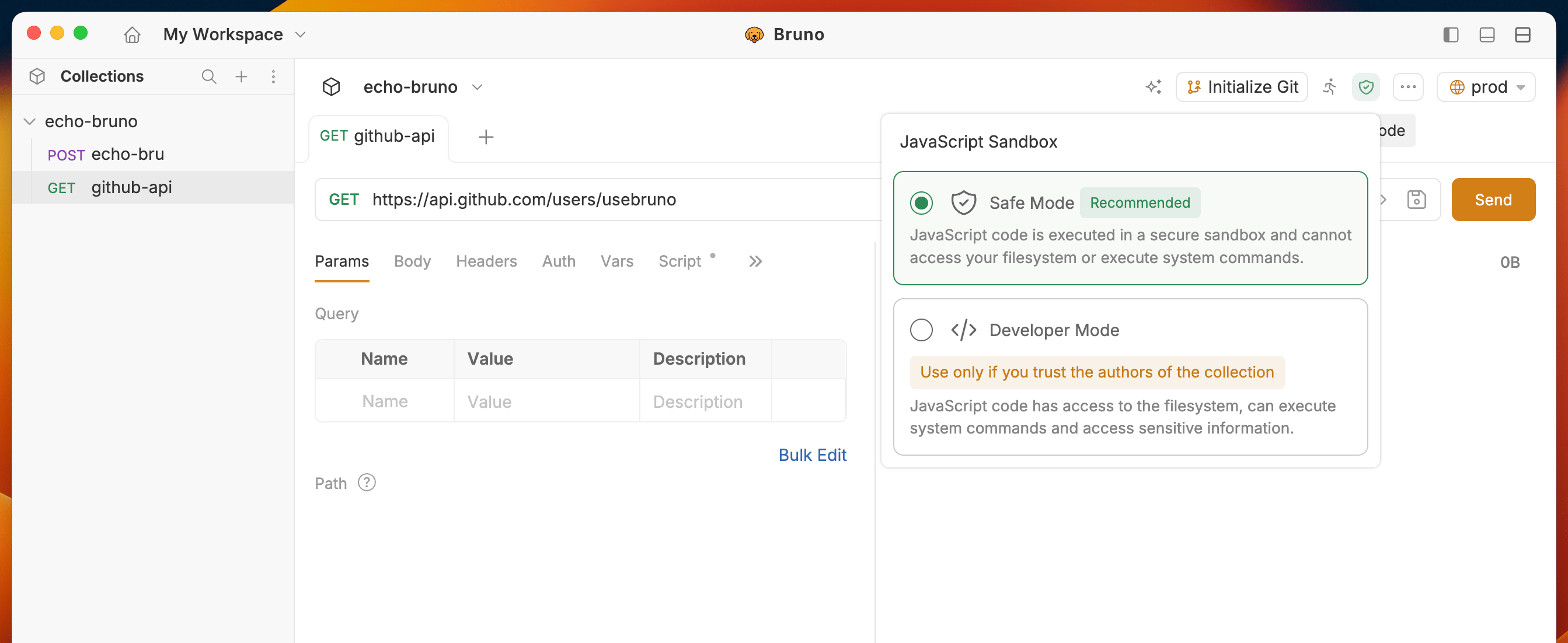
Bruno provides two modes for executing JavaScript code in your collections:
1. Safe Mode
2. Developer Mode
 ## Safe Mode
JavaScript code is executed in a secure sandbox and cannot access your filesystem or execute system commands. We recommend Safe Mode for most users.
1. Open your collection in Bruno
2. Click on the **Shield** icon in the top right corner to switch the mode (Safe Mode is default)
When in doubt, leave the Collection in Safe Mode. You can always switch to Developer Mode later.
## Developer Mode
JavaScript code has access to the filesystem, can execute system commands and access sensitive information.
1. Open your collection in Bruno
2. Click on the **Shield** icon in the top right corner to switch the mode (Safe Mode is default)
3. Select **Developer Mode** from the dropdown
#### When to use Developer Mode
* You trust the collection source/authors (Ex: Collection maintained by you/your team) and Safe Mode is not enough for your use case.
* You need to use external npm packages in your scripts
* Your collection needs access to filesystem / system commands
#### When to avoid Developer Mode
* You are running a collection that you do not trust (Ex: Downloaded from the internet)
Developer Mode can be dangerous and should only be used when you fully understand the implications.
## Detecting Sandbox Mode in Scripts
You can programmatically detect the current sandbox mode in your pre-request, post-request, and test scripts using the `bru.isSafeMode()` API.
**Use Case:** Some collections may require explicit Developer Mode features. By detecting the sandbox mode, you can log appropriate error messages or take alternative actions when the collection is run in Safe Mode.
**Example:**
```javascript theme={null}
// Check if running in Safe Mode
if (bru.isSafeMode()) {
console.log('⚠️ This collection requires Developer Mode.');
console.log('Please switch to Developer Mode to use filesystem and external packages.');
} else {
console.log('✓ Running in Developer Mode - all features available.');
// Proceed with Developer Mode features
const fs = require('fs');
// ... use filesystem operations
}
```
**API Reference:** See the complete documentation in [JavaScript API Reference](/testing/script/javascript-reference#detecting-sandbox-mode).
## Safe Mode
JavaScript code is executed in a secure sandbox and cannot access your filesystem or execute system commands. We recommend Safe Mode for most users.
1. Open your collection in Bruno
2. Click on the **Shield** icon in the top right corner to switch the mode (Safe Mode is default)
When in doubt, leave the Collection in Safe Mode. You can always switch to Developer Mode later.
## Developer Mode
JavaScript code has access to the filesystem, can execute system commands and access sensitive information.
1. Open your collection in Bruno
2. Click on the **Shield** icon in the top right corner to switch the mode (Safe Mode is default)
3. Select **Developer Mode** from the dropdown
#### When to use Developer Mode
* You trust the collection source/authors (Ex: Collection maintained by you/your team) and Safe Mode is not enough for your use case.
* You need to use external npm packages in your scripts
* Your collection needs access to filesystem / system commands
#### When to avoid Developer Mode
* You are running a collection that you do not trust (Ex: Downloaded from the internet)
Developer Mode can be dangerous and should only be used when you fully understand the implications.
## Detecting Sandbox Mode in Scripts
You can programmatically detect the current sandbox mode in your pre-request, post-request, and test scripts using the `bru.isSafeMode()` API.
**Use Case:** Some collections may require explicit Developer Mode features. By detecting the sandbox mode, you can log appropriate error messages or take alternative actions when the collection is run in Safe Mode.
**Example:**
```javascript theme={null}
// Check if running in Safe Mode
if (bru.isSafeMode()) {
console.log('⚠️ This collection requires Developer Mode.');
console.log('Please switch to Developer Mode to use filesystem and external packages.');
} else {
console.log('✓ Running in Developer Mode - all features available.');
// Proceed with Developer Mode features
const fs = require('fs');
// ... use filesystem operations
}
```
**API Reference:** See the complete documentation in [JavaScript API Reference](/testing/script/javascript-reference#detecting-sandbox-mode).